Devlog
I'm working on 3 video games right now. Where do they stand?
Video Games in Development
I am currently working on developing 3 video games. If you've been reading my blog for a while, you'll have encountered all of them. Here's a quick overview:
- Backrooms Game: A 3-d game where you explore the backrooms.
- Top-Down RPG: This was in my graveyard post, retooled for Unity.
- Billboard Shooter: This game's a first-person boomer shooter with retro graphics, based on old games like Duke Nukem and Doom. Also adapted from a graveyard project.
Some people prefer to work on projects one at a time. I prefer to work on a few things at once. The way I create is pretty dependent on inspiration striking. Sometimes, I'm in the mood to work on a certain project or not in the mood to work on a different one. This way, I can switch to whatever I'm actually interested in working on.
Game 1: Backrooms Game
My last update on this game was about trying really hard to make the game feel like walking through a creepy space with a camcorder in the late '90s. Since then, I've figured out how to actually build levels. I'm using Unity's built-in prototyping modeling software, Probuilder. While Probuilder was designed for prototyping, it works great for building simple to moderately complex levels. Because the backrooms are mostly chunky and blocky, I can model them directly in Unity. Once I slap on some real-world textures, things look good.
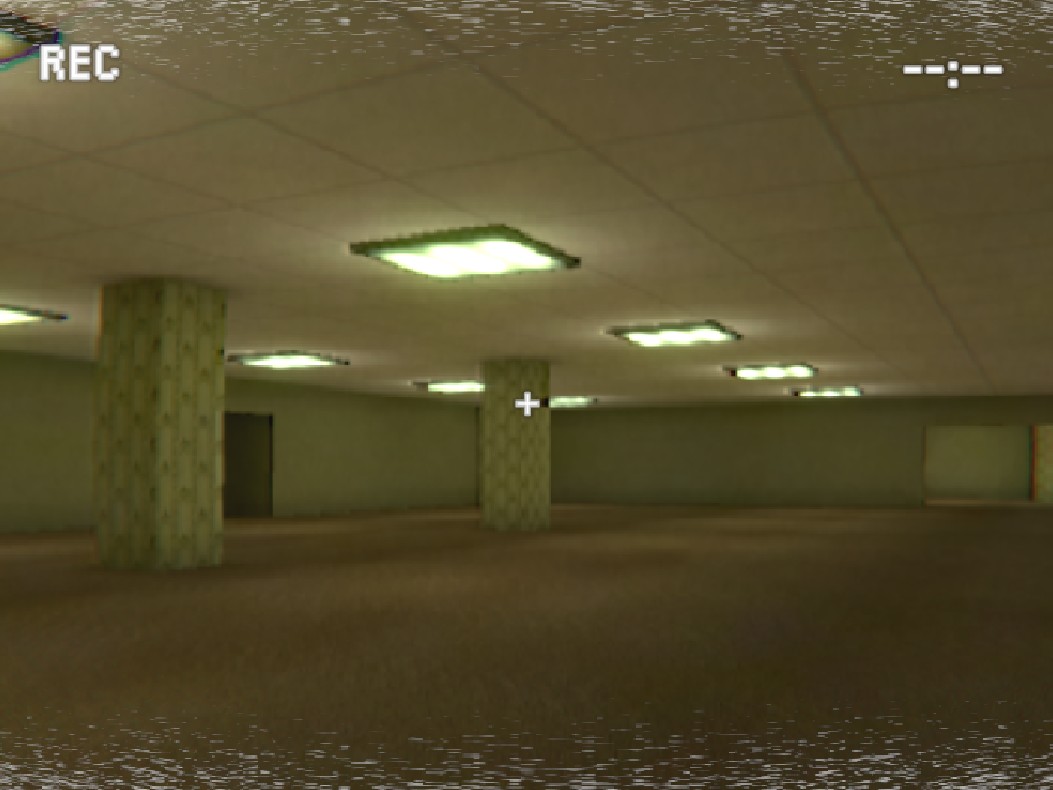
On a technical level, I spent a lot of time struggling with Unity to make my lights bake correctly. For a computer, simulating light bouncing around in real time is a very intensive process. However, if the lights in your game aren't going to change, you can do something called baking the lighting. Essentially, I let my computer calculate how much light should shine everywhere in the scene, and then 'paint' that light onto each object in the game. The result is that the player's computer doesn't have to do all that calculation in real time, which makes the game much easier to play on non-gaming computers. Baked lighting makes the game so performant I was able to build a web version.
I've also storyboarded the entire game. Now I don't want to spoil anything about the game, but I will give you a basic idea of the plot: At work, you find a cassette tape from your friend and coworker, describing a strange door in the stockroom. He says he found an expansive place back there and he's going to explore it with his audio recorder. You take a camera through the door to document it, and hopefully find your friend.
I also built out the pause menus and made a small test level so people could give the game a try. You can play the test level online right here.
In case you don't want to go to all that hassle, here's a short clip of the test level. While it's far from perfect, I think the light, sound, and design combine to be pretty immersive.
After all this, I finally saw Kane Parsons' backrooms movie. I really liked it, but I'm not planning to change my game to fit with the lore from that movie. I always wanted to stay as true to the source material (the original 4chan post) as possible, and I don't intend to jump on any bandwagons.
Game 2: Top-Down RPG
When I initially conceived of this game, I was imagining making a game with ASCII graphics. I made a teeny prototype, and ended up throwing it away. The ASCII graphics were too simple, and I didn't think it would be worth it to build out. However, the idea of a top-down RPG seemed really fun.
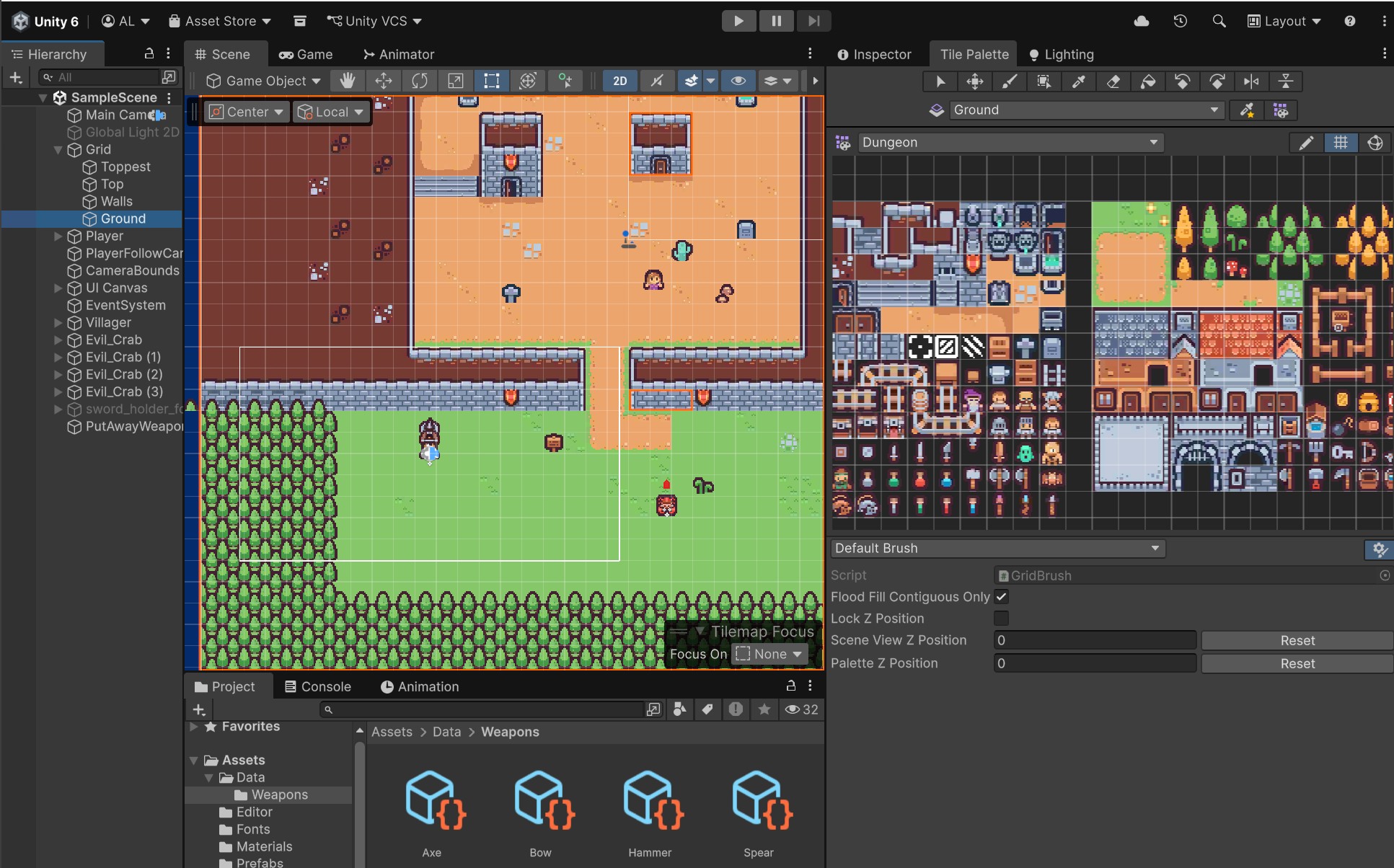
When I made Carnival Quacks, I was reminded of how nice it is to use free, premade assets. If I were super rich, I would hire an artist to make all the assets for me. Since that's not an option, the next-best thing is to use open-source assets. I found several tilesets on Kenney, set up a Unity project, and got started.
Building levels for a game like this is super easy. Unity has a built-in tilemap editor that lets you paint background images (sprites) directly onto a grid. You can fill huge expanses in a few seconds, then sprinkle on details to your heart's content. It's a very convenient system.
Animation
Traditionally, in pixel RPGs, characters are animated via sprite animation. (You draw several animation frames of the character walking, for example, and play them when the player is moving.) However, the Kenney assets I have don't have any animation frames.
Instead of drawing these frames myself, I decided to use some well-known cheats. The player's sprite squashes and stretches lightly to simulate breathing. When the player moves, he hops back and forth and kicks up a little dust. Even though the player's sprite never changes, he looks happy and very lifelike with these small improvements.
My goal for this top-down RPG was to make it a mobile game. Designing for mobile comes with a bunch of constraints. Because the player can't feel the buttons, precision-based button pushing generally doesn't work. Also, on-screen buttons cover up the action. The player's thumb obscures a chunk of the screen.
Because of this, I decided on a simple one-button, one stick system. The entire left half of the screen works as a joystick. Anywhere the player places their finger is a valid origin point for the stick, so no worrying about missing a button. The right half of the screen is a single, giant invisible button. Anywhere the player taps on this side of the screen either attacks with the currently equipped weapon, or can be used for things like dialogue. This control scheme is pretty intuitive, and all 3 of my playtesters have liked it.
I've also made a little clip of a test level so you can see my progress in design and animation. This one doesn't have any sound design, but the game's complete enough that this is starting to feel cohesive and playable.
This game will be a quick and cute adventure, and I think it'll be really fun once it's done.
Game 3: Boomer Shooter
In my graveyard post, I mentioned that animating the 3-d characters for my shooting game was too taxing, so I decided to re-skin the game. Instead of having 3-d animated characters, I use billboard sprites - flat sprites that rotate towards the camera, sort of like a cardboard cutout. I also decided to make the game a fantasy game where you play as a wizard.
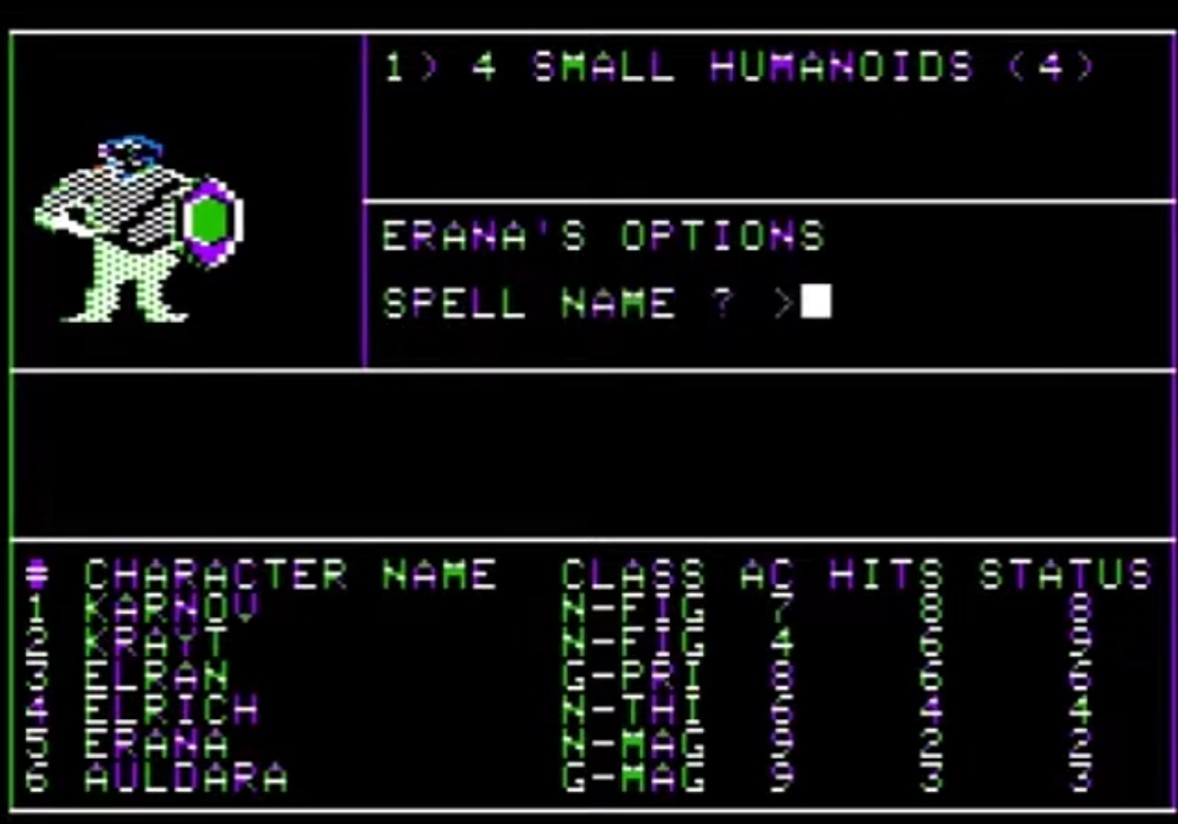
For the aesthetic of this game, I was inspired by some of the earliest computer games, like Wizardry: Proving Grounds of the Mad Overlord (1980). Due to hardware limitations of the time, the game was largely a black background with white accents. Only characters were colored or received any level of detail.
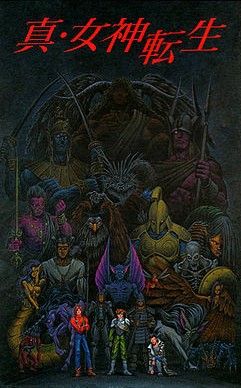
This aesthetic was refined for later games. One of my favorite examples is the cover art from Shin Megami Tensei (1992).
But, as with the top-down project, I wasn't going to draw each sprite myself. Once again, I found myself looking at free 3-d assets online. I came to a pretty unique conclusion: I could use assets meant to be used in 2-d games as long as I was clever. I decided to use a Kenney pack for the backgrounds:
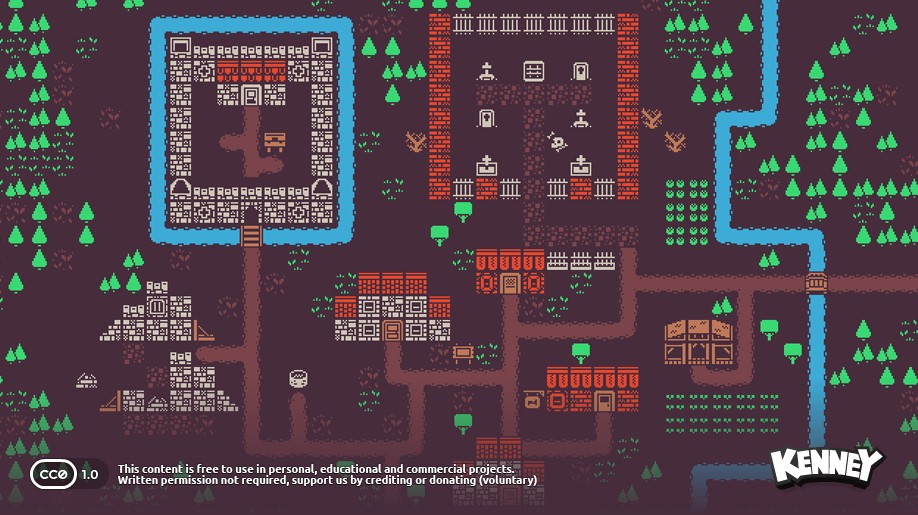
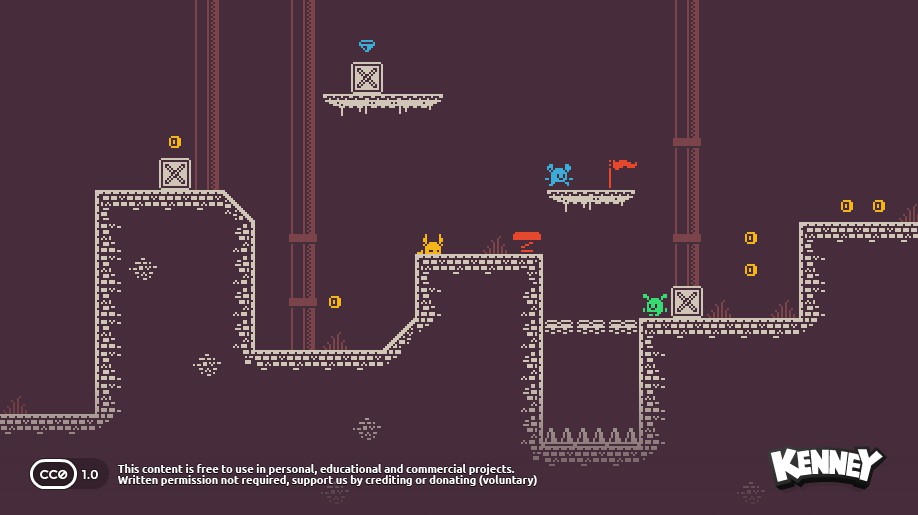
This tileset was designed for use in either simple top-down games or 2-d platformers, but after I changed the background color to black, it was great for my walls and floor. I found a bright, higher-res set of sprites for my weapons and enemies:
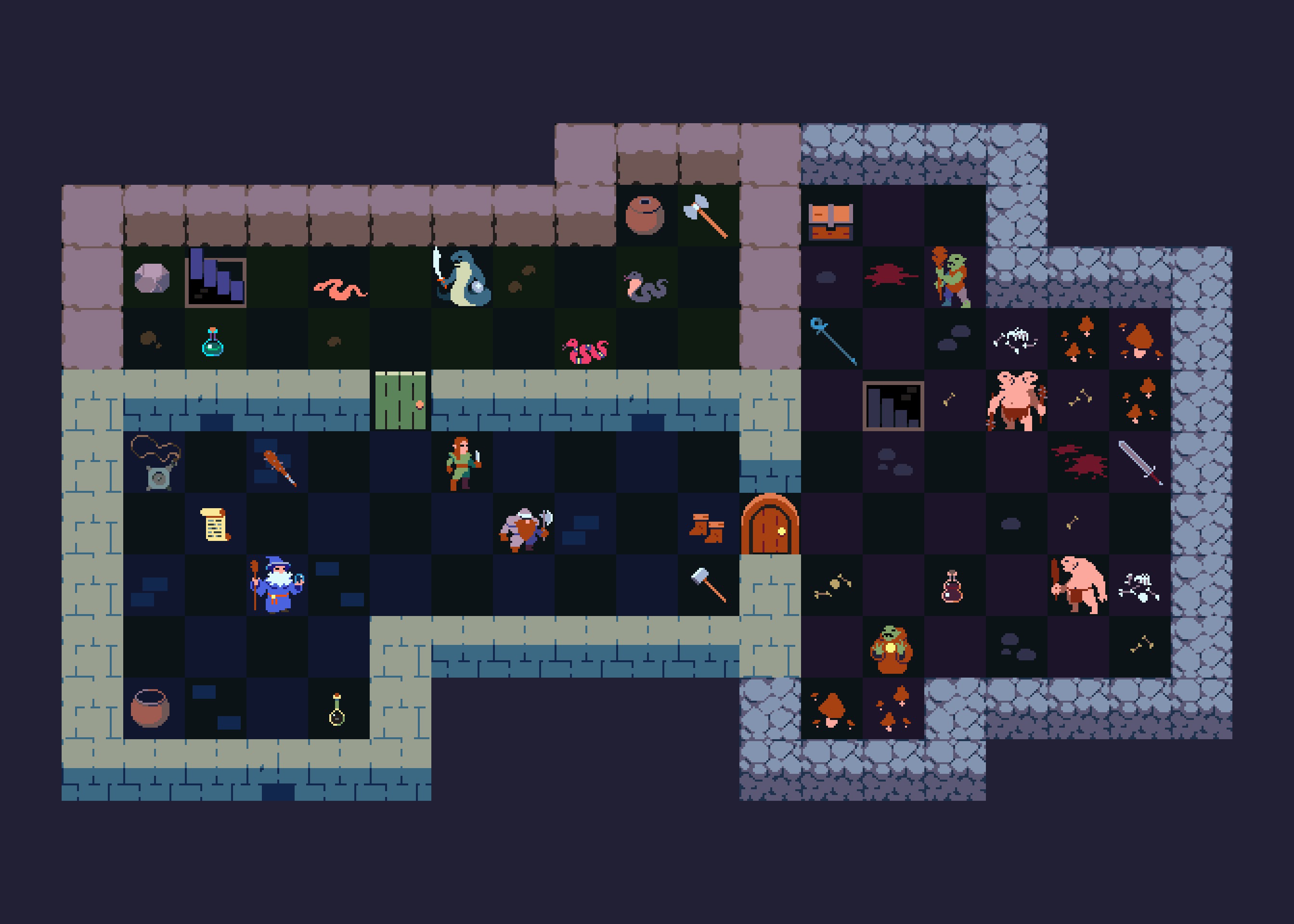
Now, you're probably wondering how I turned these tilesets into something resembling a working game. I designed a two-room level as a showcase for the concept. (And to show that I have a few working weapons and items to collect.)
The movement feels smooth, and the visuals are pretty cohesive. They really give off that 'arcade feel' I was shooting for. The next steps will be fleshing out the enemies and doing some level design.
Conclusion
So that's where I stand on my game development journey. All 3 of these games are built out enough to at least be prototyping and testing, which is really exciting. I can't wait to share my next update, when hopefully at least one of them is finished.
I was at a family reunion last month working on some of these games, and a bunch of my little cousins were very interested. They ended up playing Prismo (a game I'd made previously). They really enjoyed it.
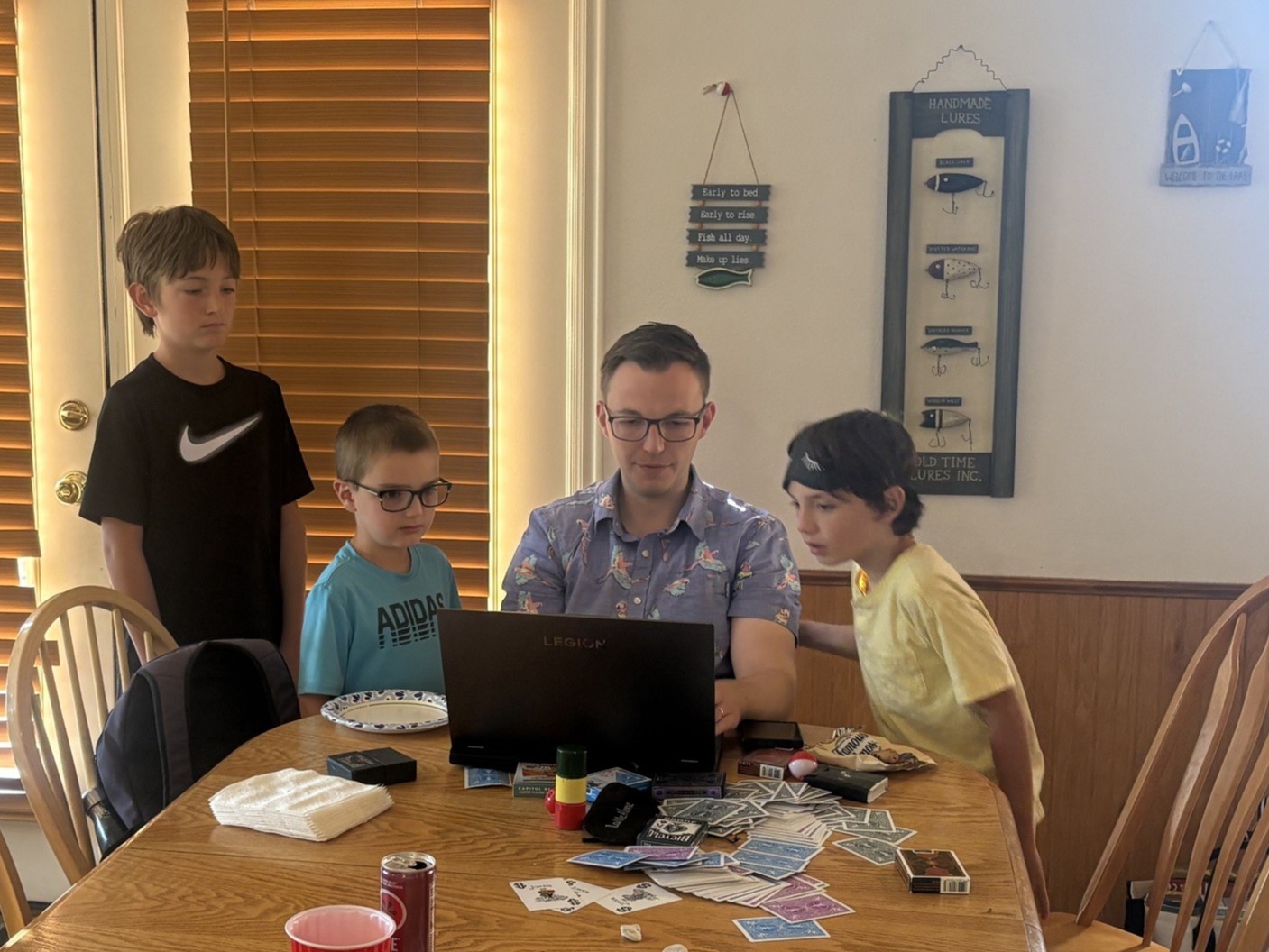
For me, this was a fun reminder of why I make games. To bring a little more joy into the world.